> For the complete documentation index, see [llms.txt](https://broker-docs.tiger.com/llms.txt). Markdown versions of documentation pages are available by appending `.md` to page URLs; this page is available as [Markdown](https://broker-docs.tiger.com/kak-perevesti-sredstva-so-scheta-odnoi-birzhi-na-schet-drugoi-v-tiger.com-broker.md).
# Как перевести средства со счета одной биржи на счет другой в Tiger.com Broker
Трансфер между счетами бирж Binance и Bybit производится криптопереводом на нужный кошелек.
{% hint style="success" %}
Активируйте опцию "[Белый список адресов" ](/vyvod-sredstv/belyi-spisok-adresov.md)в настройках [Профиля](https://account.tiger.com/profile) для быстрого доступа ко всем кошелькам Tiger.com Broker в меню вывода.
{% endhint %}
Пошаговая инструкция:
1. **Определите адрес для пополнения счета:**
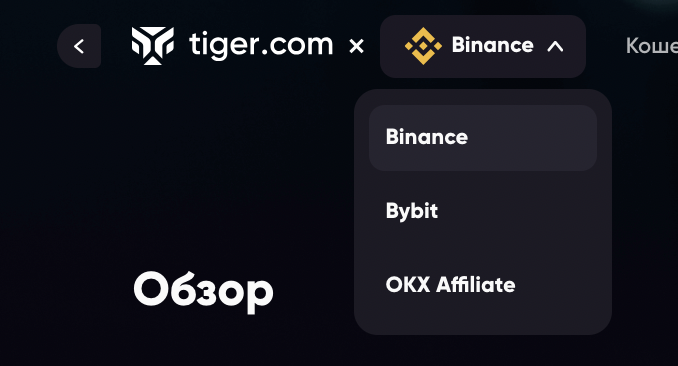
a) Выберите биржу, счет которой хотите пополнить:
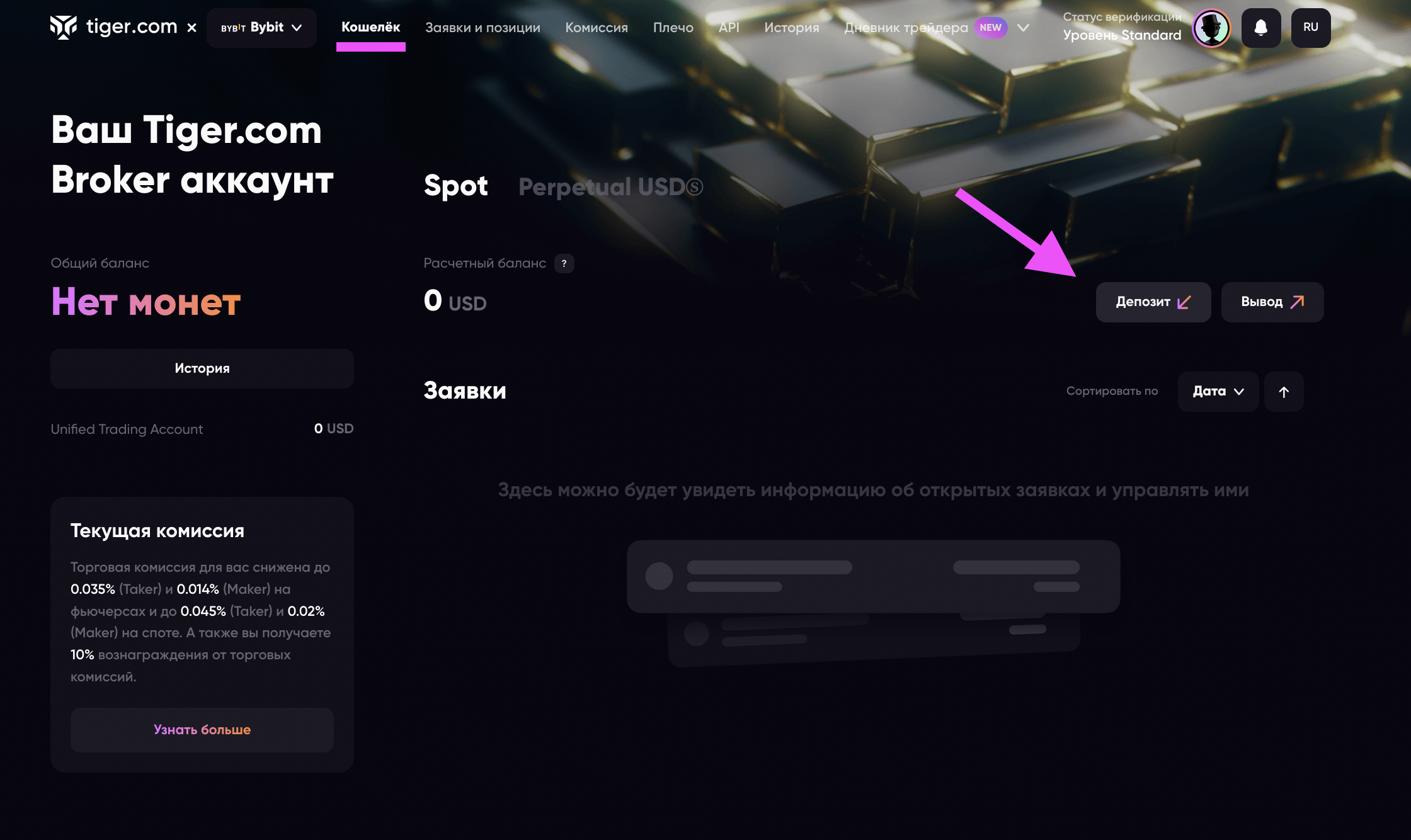
b) Перейдите в раздел [Кошелек](https://account.tiger.com/wallet) и выберите "Депозит":
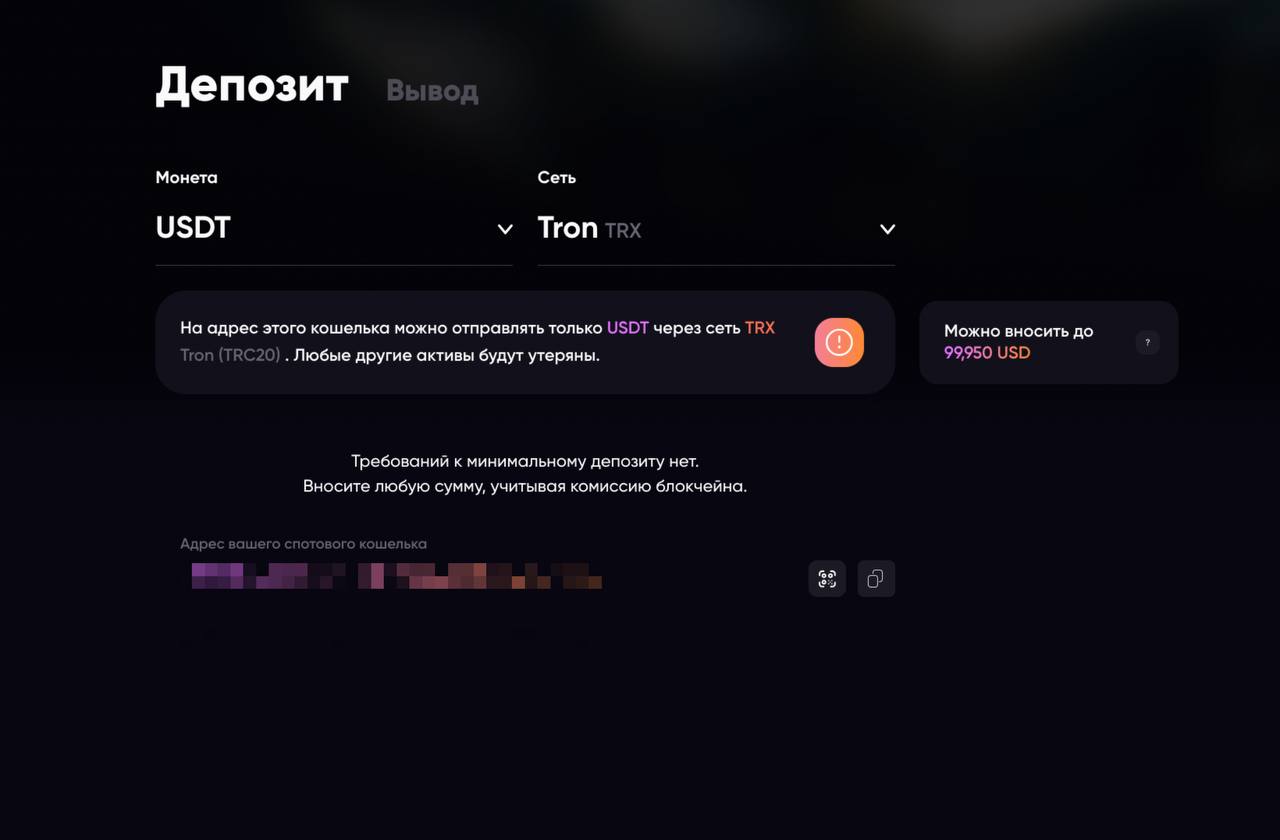
c) Выберите желаемый токен и сеть для совершения перевода и скопируйте адрес кошелька:
2. **Переключитесь на биржу отправителя**: \
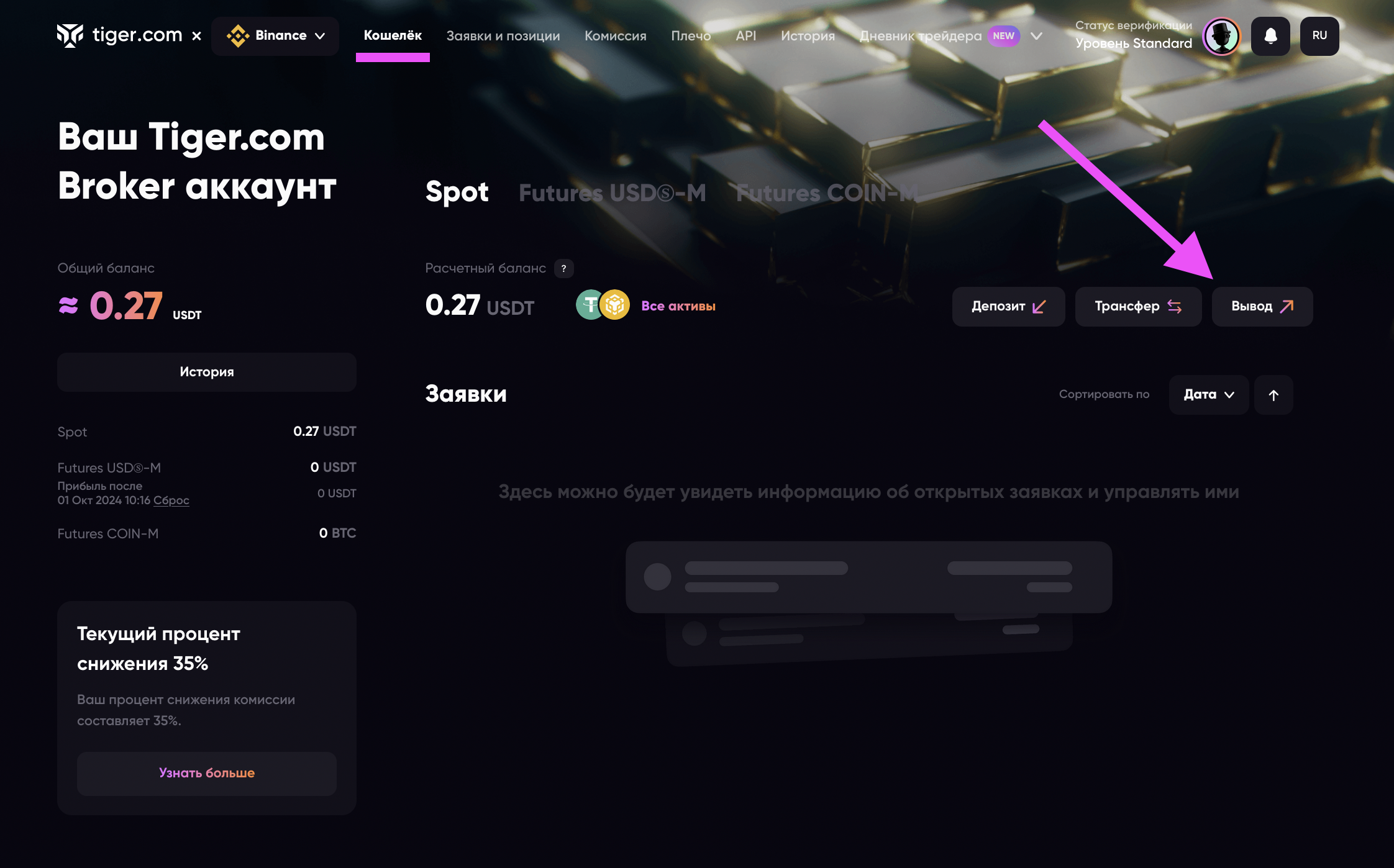
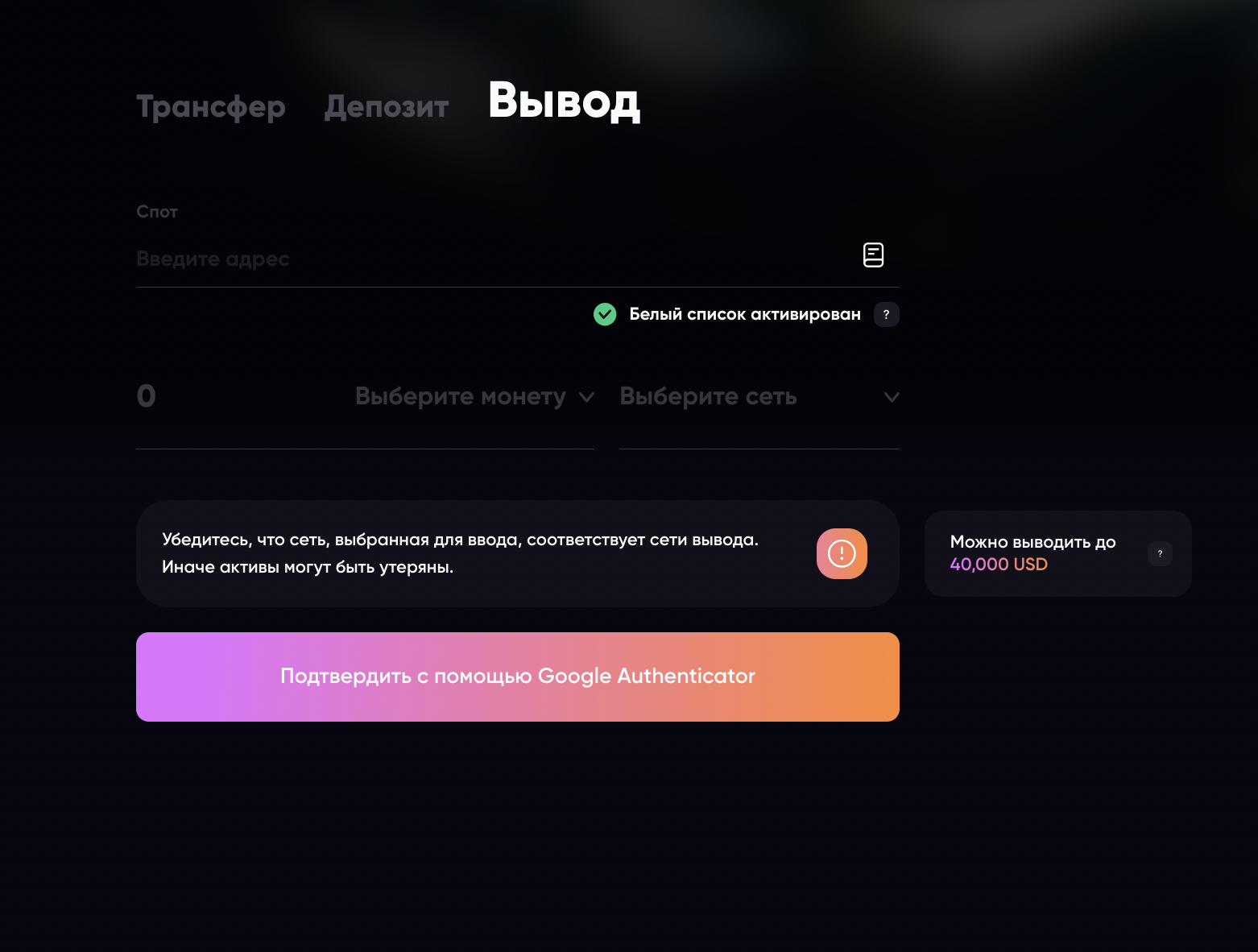
На верхней панели личного кабинета переключитесь на биржу, с которой вы хотите отправить средства. Перейдите на вкладку [Кошелек ](https://account.tiger.com/wallet)и выберите "Вывод":
3. **Укажите детали перевода**: \
Введите ранее скопированный адрес вашего кошелька для пополнения, укажите сумму перевода, выберите нужную криптовалюту и сеть. Подтвердите операцию через приложение Google Authenticator.
{% hint style="danger" %}
Проверяйте корректность указанных данных и соответствие сети перед выполнением **каждой** транзакции. Смена адреса при копировании и вставке может свидетельствовать о наличии вирусов на вашем устройстве. \
\
Ошибочные действия могут привести к безвозвратной потере средств.
{% endhint %}
---
# Agent Instructions
This documentation is published with GitBook. GitBook is the documentation platform designed so that both humans and AI agents can read, navigate, and reason over technical content effectively. Learn more at gitbook.com.
## Querying This Documentation
If you need additional information that is not directly available in this page, you can query the documentation by asking a question.
Perform an HTTP GET request on the following URL with the `ask` and `goal` query parameters:
```
GET https://broker-docs.tiger.com/kak-perevesti-sredstva-so-scheta-odnoi-birzhi-na-schet-drugoi-v-tiger.com-broker.md?ask=&goal=
```
`ask` is the immediate question: it should be specific, self-contained, and written in natural language.
`goal` is what the user is ultimately trying to achieve, the reason they need the answer. Sharing it helps GitBook give you a better, more relevant answer. A goal is most helpful when it describes the outcome the user wants rather than restating the question. For example, with `ask=how do I create an API token`, a goal like `automate deployments from our CI pipeline` lets GitBook tailor the answer to that use case.
The response will contain a direct answer to the question and relevant excerpts and sources from the documentation.
Use this mechanism when the answer is not explicitly present in the current page, you need clarification or additional context, or you want to retrieve related documentation sections.