> For the complete documentation index, see [llms.txt](https://broker-docs.tiger.com/llms.txt). Markdown versions of documentation pages are available by appending `.md` to page URLs; this page is available as [Markdown](https://broker-docs.tiger.com/english-2/hyperliquid/hyperliquid-via-tiger.com-broker.md).
# Hyperliquid via Tiger.com Broker
Trade on Hyperliquid directly through Tiger.com — we open the account and create the wallet. Fund your balance and trade in the terminal with a 4% trading fee discount from the exchange and 10% back as a reward from Tiger.com.
* Tiger.com opens a Hyperliquid account for you.
* No separate wallet, seed phrase or browser extensions are required.
* You fund your balance in your personal account, create an API key and trade in our terminal just like on a regular centralized exchange.
* You can withdraw funds at any time; withdrawals are confirmed with two-factor authentication.
{% stepper %}
{% step %}
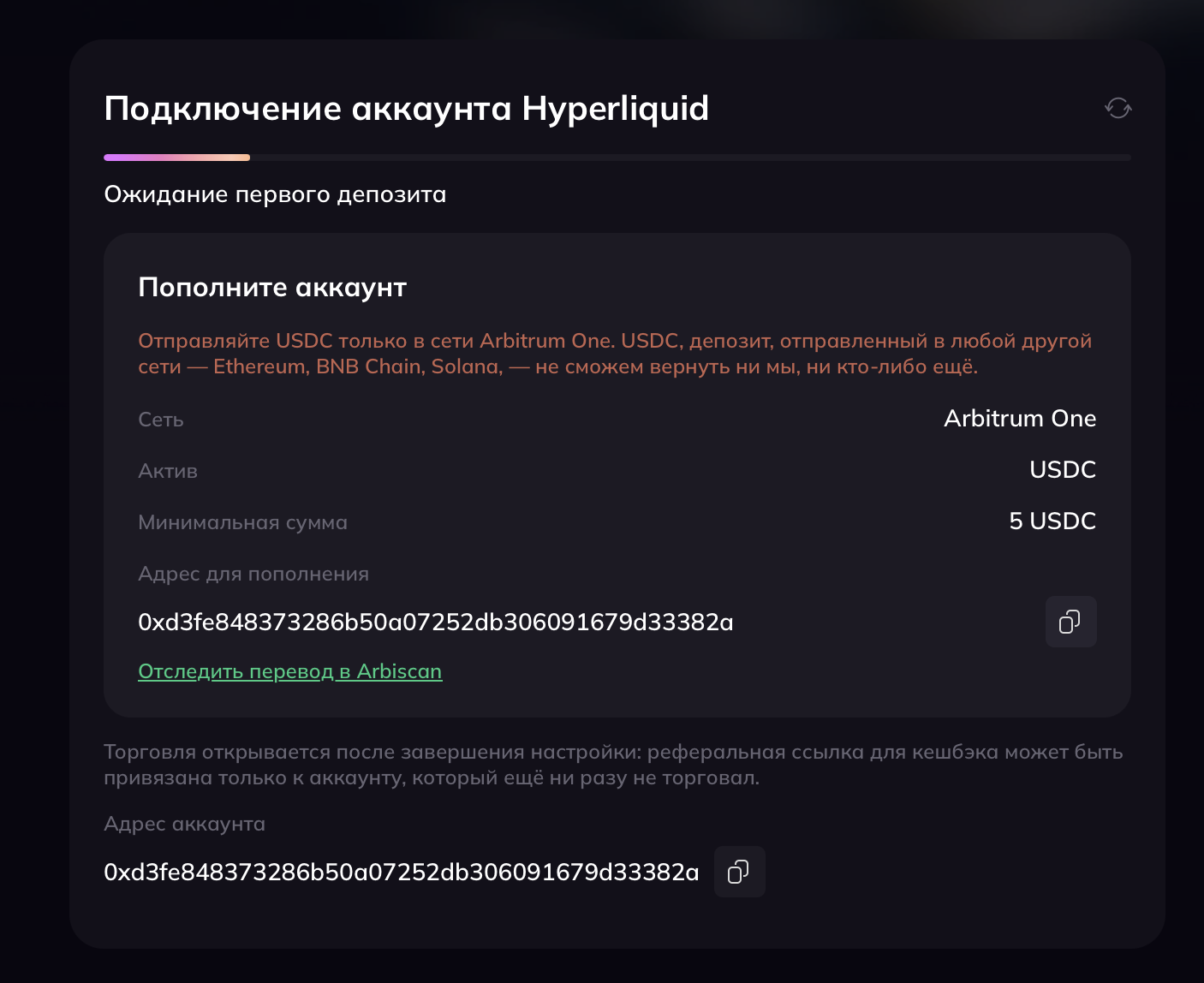
## Fund your balance to activate the account
Once your deposit is made, you will be able to create an API key.\
Deposits are supported in USDC only; the minimum deposit is 5 USDC.
{% endstep %}
{% step %}
## Create an API key
To connect to the Tiger.com terminal, you need to create an API key. Only one key can be active at a time: if you create a new one, the previous key is deactivated. The secret key is shown only once, at creation — if you lose it, create a new key and update it in the Tiger.com terminal.
1. Create the API key and confirm the action in your authenticator app.
2. Copy the key and add the connection in the Tiger.com terminals.
3. The terminal is connected — nothing else is required, you can start trading.
4. API keys have an expiry date. If you get an error in the terminal when trying to trade, create a new key and add it in the connection settings.
{% endstep %}
{% step %}
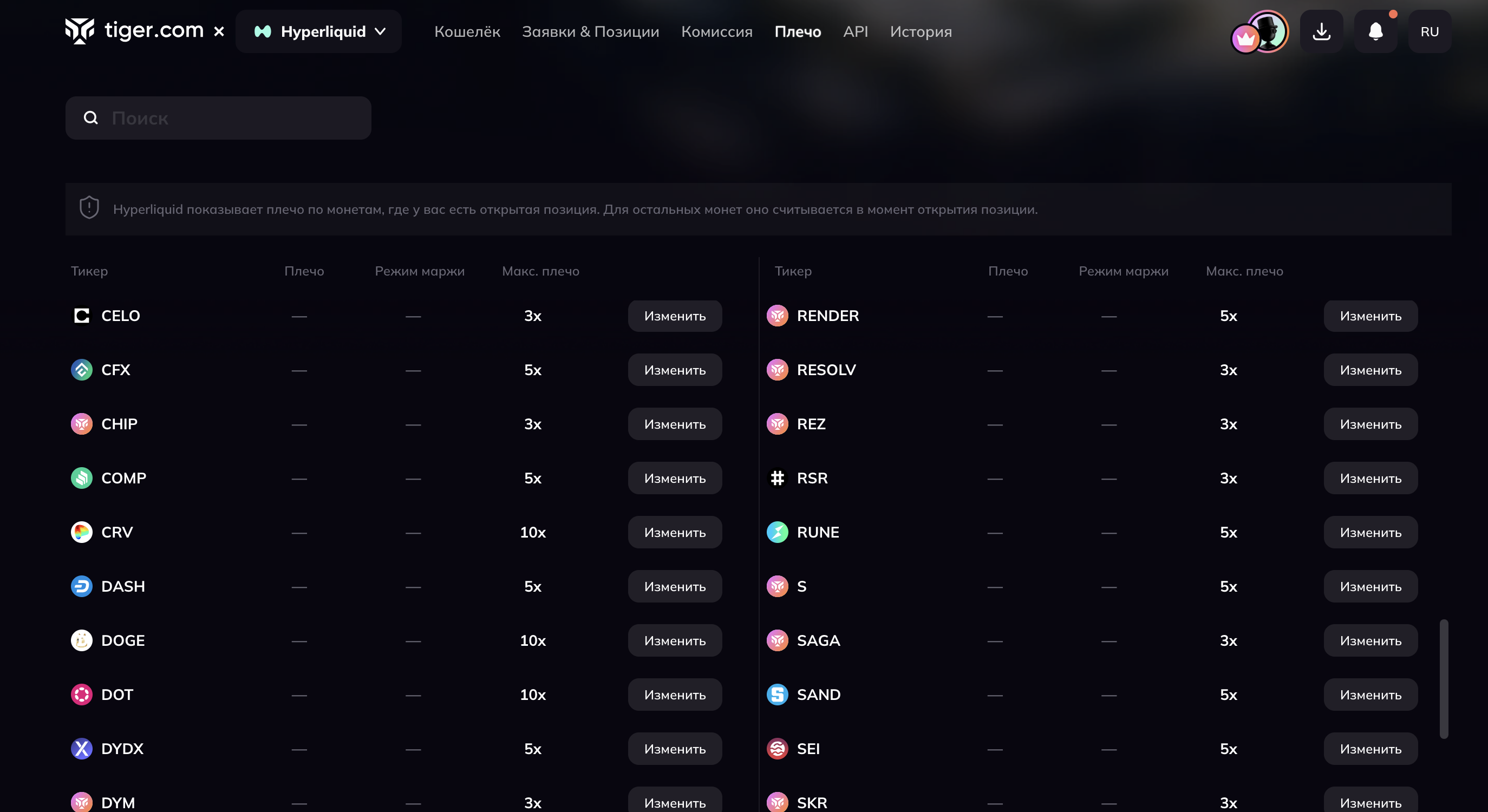
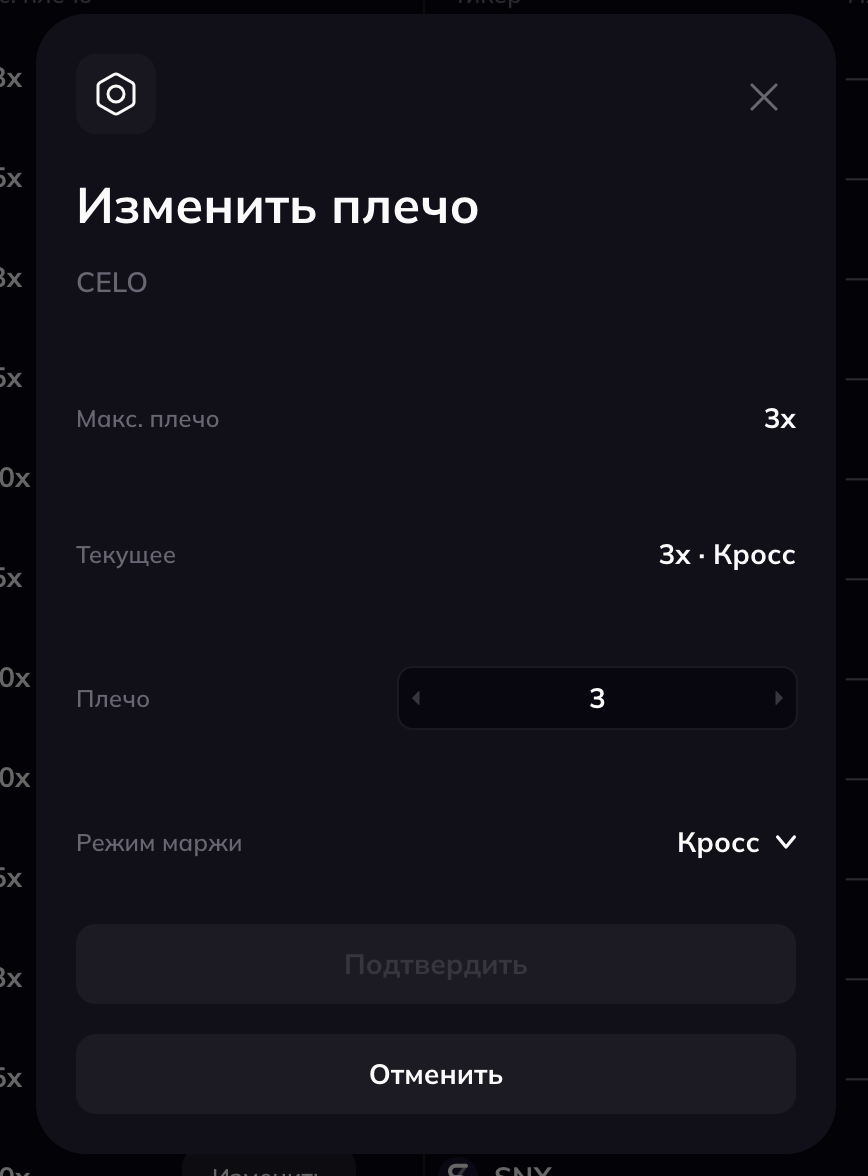
## Managing leverage
A specific feature of Hyperliquid: leverage values for instruments are not broadcast by default. To see the current leverage in the general menu, you need to change the leverage or open a position for that instrument.
Leverage and margin type can be changed separately for each instrument. Once the change is applied, a notification appears in the bottom right corner.
{% endstep %}
{% step %}
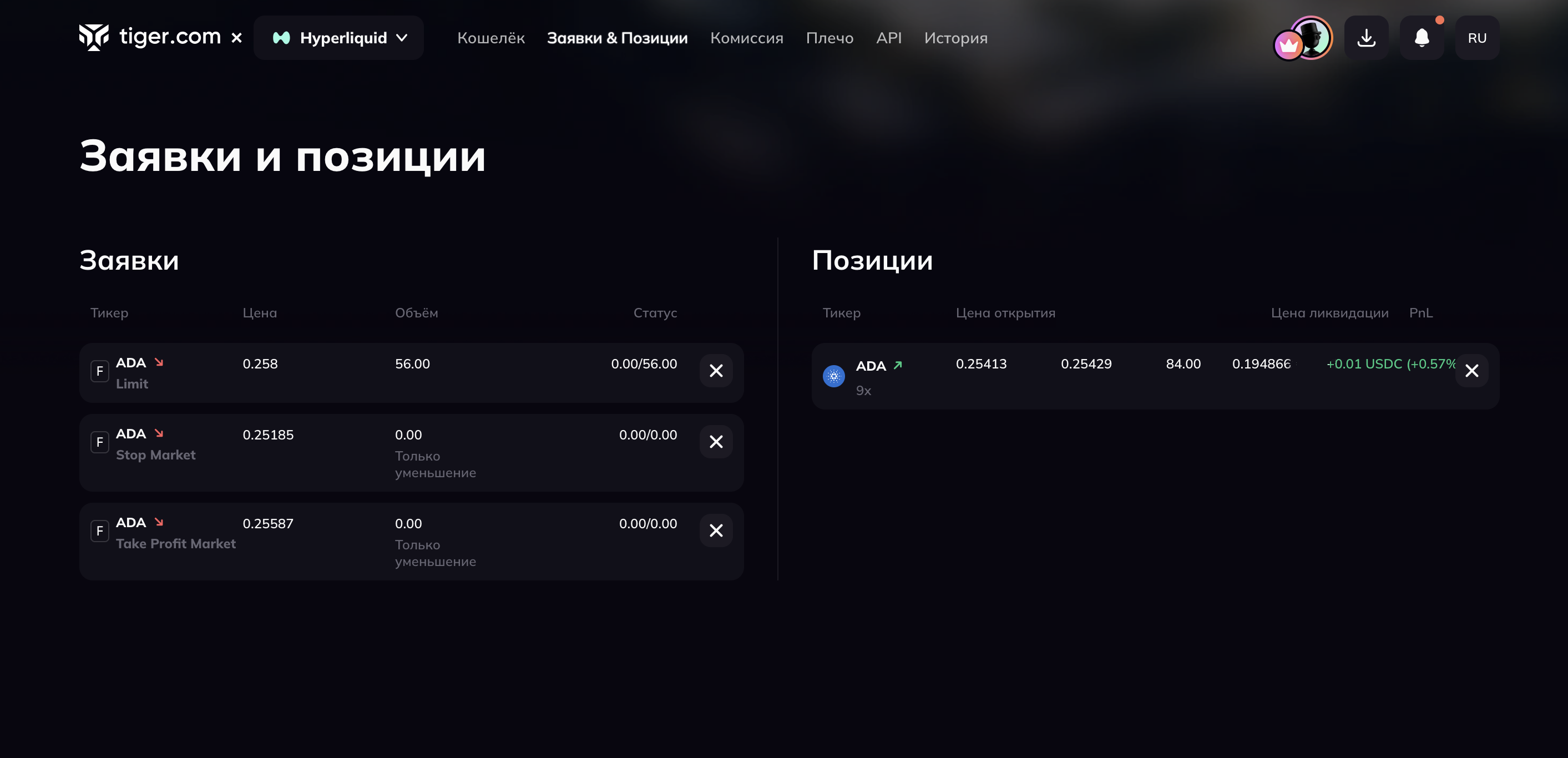
## Manage orders and positions
In your personal account you can cancel orders and close positions.
{% endstep %}
{% step %}
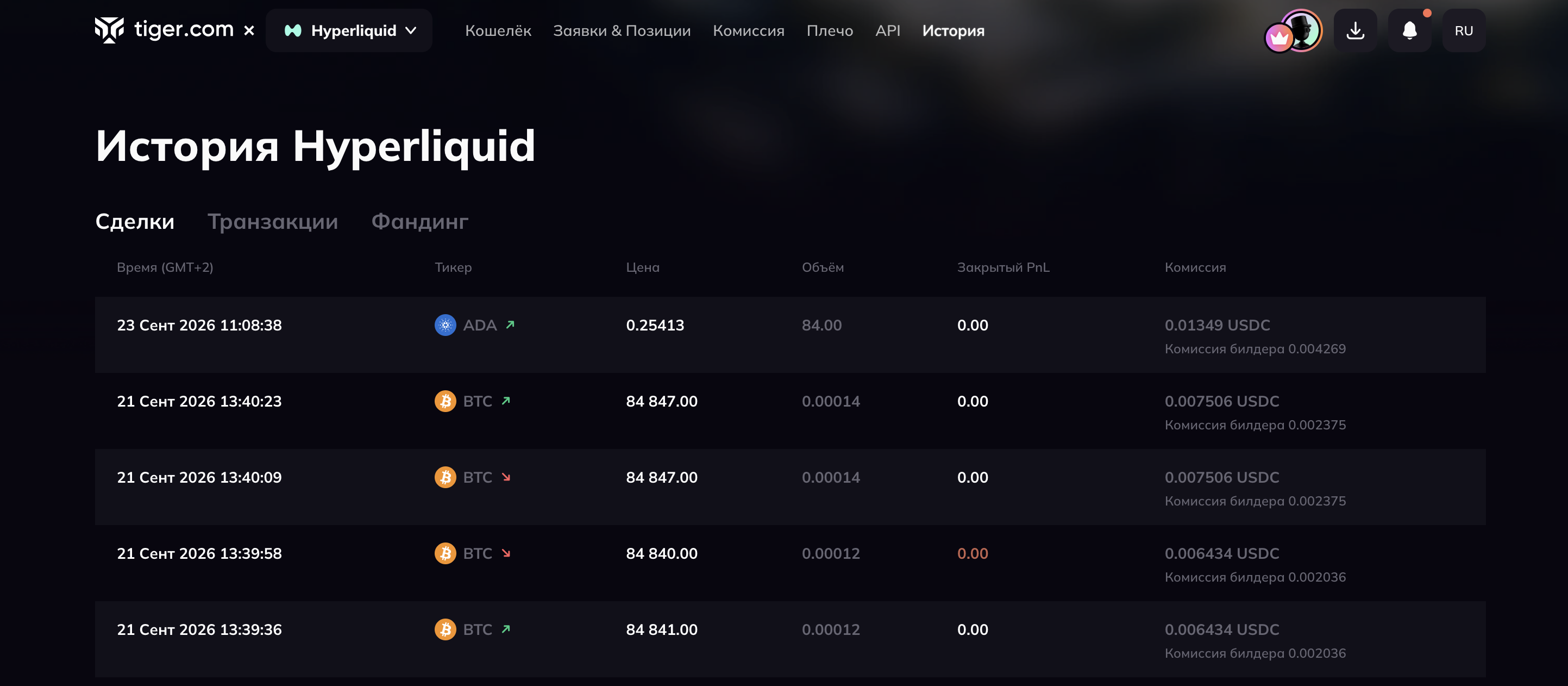
## History
The History page has three tabs:
{% tabs %}
{% tab title="Trades" %}
Debits and credits related to trading
{% endtab %}
{% tab title="Transactions" %}
Deposits, withdrawals and credited fee savings
{% endtab %}
{% tab title="Funding" %}
Funding rate payments and charges
{% endtab %}
{% endtabs %}
{% endstep %}
{% step %}
## FAQ
Where are your funds held?
Your funds are held in segregated wallets. You access and manage your assets, including withdrawals, through the [Tiger.com](http://tiger.com/) platform in accordance with the service's Terms of Use.
Are Hyperliquid trades shown in the trader's journal?
No.
What builder fee is charged when trading through the Tiger.com terminal?
The standard builder fee for Hyperliquid is 0.02%.
Will rewards be credited for trading through other terminals?
No, only for trading through the Tiger.com terminal.
When are rewards credited?
Within 48 hours after the trade.
{% endstep %}
{% endstepper %}
---
# Agent Instructions
This documentation is published with GitBook. GitBook is the documentation platform designed so that both humans and AI agents can read, navigate, and reason over technical content effectively. Learn more at gitbook.com.
## Querying This Documentation
If you need additional information that is not directly available in this page, you can query the documentation by asking a question.
Perform an HTTP GET request on the following URL with the `ask` and `goal` query parameters:
```
GET https://broker-docs.tiger.com/english-2/hyperliquid/hyperliquid-via-tiger.com-broker.md?ask=&goal=
```
`ask` is the immediate question: it should be specific, self-contained, and written in natural language.
`goal` is what the user is ultimately trying to achieve, the reason they need the answer. Sharing it helps GitBook give you a better, more relevant answer. A goal is most helpful when it describes the outcome the user wants rather than restating the question. For example, with `ask=how do I create an API token`, a goal like `automate deployments from our CI pipeline` lets GitBook tailor the answer to that use case.
The response will contain a direct answer to the question and relevant excerpts and sources from the documentation.
Use this mechanism when the answer is not explicitly present in the current page, you need clarification or additional context, or you want to retrieve related documentation sections.